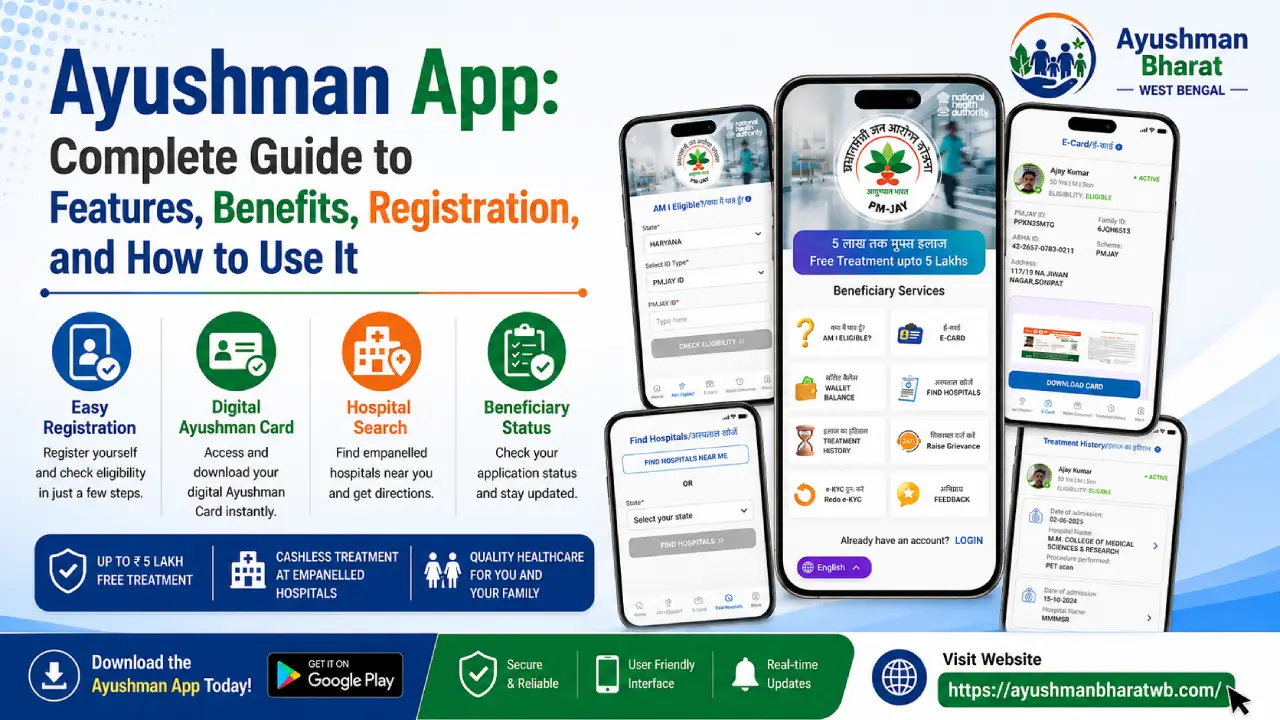
The Ayushman App is the official mobile application developed by the National Health Authority (NHA) under the Ayushman Bharat Pradhan Mantri Jan Arogya Yojana (AB-PMJAY). The app enables eligible beneficiaries to create and manage their Ayushman Card, verify eligibility, complete e-KYC, and access healthcare services directly from their smartphones. It is designed to simplify access to government healthcare benefits and reduce the need to visit service centers for basic tasks.
With the Ayushman App, millions of eligible citizens can conveniently access health insurance benefits worth up to ₹5 lakh per family per year for treatment at empanelled public and private hospitals under PM-JAY.
What is the Ayushman App?
The Ayushman App is the official digital platform that allows beneficiaries of the Ayushman Bharat PM-JAY scheme to:
- Check eligibility
- Create an Ayushman Card
- Complete Aadhaar-based e-KYC
- Download the Ayushman Card
- Manage beneficiary details
- Access scheme-related services
The app is available for both Android and iOS devices and is maintained by the National Health Authority.
Features of the Ayushman App
- Multiple Beneficiary Search Options: Search beneficiaries using Aadhaar, Family ID, PMJAY ID, name, or location.
- e-KYC Verification: Complete e-KYC using Aadhaar OTP, Face Authentication, Fingerprint, or Iris Scan with a live photo.
- Auto-Approval of Enrolment: Enrolments are automatically approved based on the matching score; otherwise, they are forwarded for approval.
- Ayushman Card Download & Sharing: Download or share the Ayushman Card in PDF format.
- Add Family Members: Add new family members to already enrolled families.
- Aadhaar Linking: Link Aadhaar to existing Ayushman Cards that do not have it.
- Operator Mode: Authorised operators can perform e-KYC and generate or deliver Ayushman Cards.
- Login & Profile Management: Supports both Beneficiary and Operator logins with profile management features.
- Location-Based Search: Uses location access to improve beneficiary search and results.
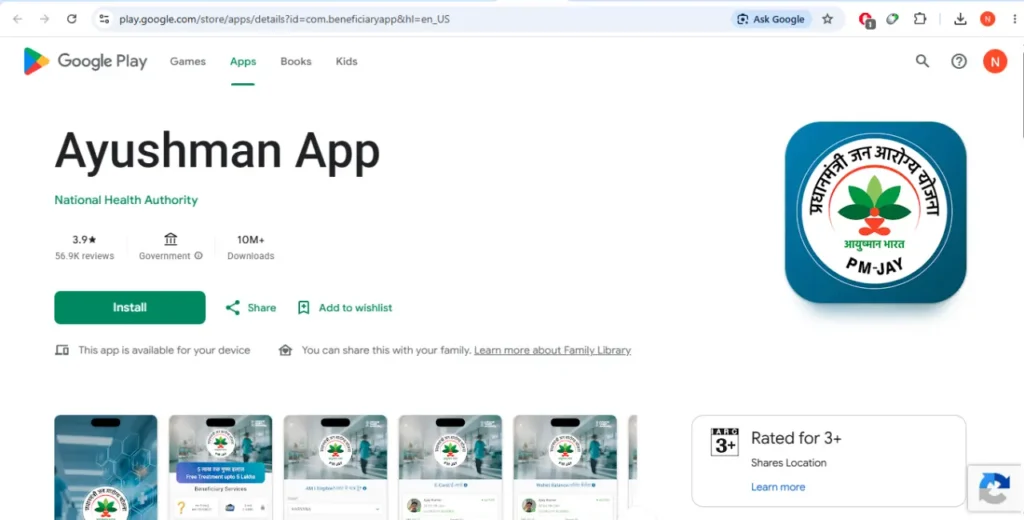
- Easy Availability: The app is available on Google Play Store.
Here is the complete, clean guide on How to Download the Ayushman App, including direct official links and key verification steps.
Official Ayushman App Download Links
To make sure you are downloading the genuine government app rather than a dangerous lookalike, use these direct official store links:
- For Android Devices: Download on Google Play Store
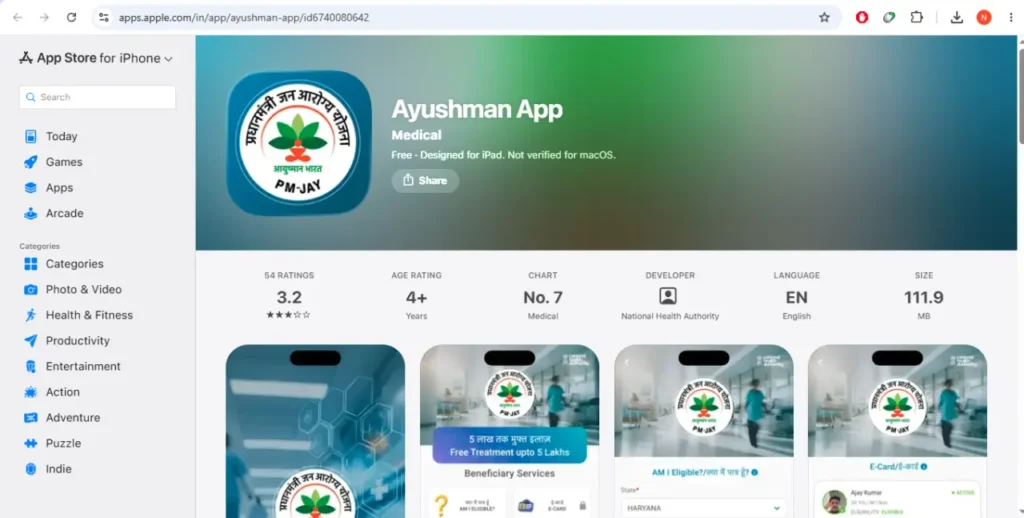
- For Apple Devices: Download on App Store
Ayushman App Step-by-Step Installation Guide
If you prefer to search for the application manually on your phone, follow these steps:
For Android Users
- Tap to open the Google Play Store app.
- In the top search bar, type “Ayushman App”.
- Look for the application displaying a logo with the Indian tricolor design.
- Crucial Check: Look right beneath the app name to verify that the publisher is strictly listed as National Health Authority.
- Tap Install.
For iPhone Users
- Open the App Store on your iPhone.
- Go to the search tab and look up “Ayushman App”.
- Verify that the developer name explicitly states National Health Authority.
- Tap Get to begin installing.
🛑 Security Advisory: The official application is entirely free to download. It handles sensitive personal data including your Aadhaar number and live facial recognition data. Never download copies of this app from unofficial third-party websites or unknown APK stores.
How to Register on the Ayushman App
By registering on the app, you can seamlessly verify your eligibility, manage your family records, and complete your digital verification from anywhere. If your details are already available in the government database, you can complete the onboarding and activation process independently by following these simple steps:
- Install & Open: Download and open the official Ayushman App (developed by the National Health Authority).
- Accept Terms: Accept the privacy policy on the splash screen.
- Select Role: Tap Login and choose Beneficiary.
- Enter Mobile: Type in your active mobile number and tap Verify.
- OTP Authentication: Enter the 6-digit OTP received on your phone, fill in the Captcha code, and tap Login.
- Search Profile: Select your Scheme (PM-JAY), State, and District. Use your Family ID (Ration Card) or Aadhaar ID to search for your beneficiary profile.
- Initiate e-KYC: Find your name on the list and tap “Do e-KYC”.
- Verify Identity: Authenticate using Aadhaar OTP or Face Auth (facial recognition).
- Download Card: Once verified and approved, tap Download Card to save your digital PDF copy.
Documents & Details Required
To check your eligibility or complete your e-KYC on the app, keep the following documents and details ready:
- Aadhaar Card: Used for identity authentication.
- Registered Mobile Number: Required to receive mandatory 6-digit OTP verifications.
- Family ID: Your Ration Card number, State Food Security card, or family composite ID (if applicable in your state).
- PM-JAY ID: Your unique alphanumeric ID assigned under the scheme (if already generated or available).
- Supporting Identity Documents: Any additional state-approved photo ID if specifically requested by the system during a manual verification review.
How to Download Your Ayushman Card
Once your e-KYC verification has been successfully processed and approved, you can download your digital card at any time by following these steps:
- Log In: Open the app, log in using your registered mobile number, and complete the OTP authentication.
- Search Profile: Enter your state and scheme details, then search using your Aadhaar or Family ID to load your family list.
- Authenticate: If prompted by the security interface, complete a quick verification step (such as an Aadhaar OTP or Face Auth).
- Click Download: Locate your profile on the screen and tap the Download Ayushman Card button.
- Save PDF: Choose a secure folder on your smartphone to save the digital PDF copy for future cashless medical use.
Security and Privacy Guidelines
Because the Ayushman App handles highly sensitive personal data and biometrics, always adhere to these security best practices:
- Never Share OTPs: Do not disclose your mobile or Aadhaar-linked One-Time Passwords to anyone, including individuals claiming to be app operators.
- Use the Official App Only: Always ensure you download the application directly from the official Google Play Store or Apple App Store links provided by the National Health Authority.
- Keep Mobile Records Updated: Ensure your active mobile number remains updated both in the PM-JAY database and with UIDAI (Aadhaar) to avoid authentication failures.
- Secure Your Device: Enable strong device-level security on your phone, such as a secure PIN, pattern lock, or biometric authentication (fingerprint/face unlock), to protect your downloaded health data.
Ayushman App FAQs
Q1: What is the Ayushman App?
A: It is the official mobile application launched by the National Health Authority (NHA). It allows beneficiaries to independently check their eligibility, perform self-eKYC using their smartphones, and download their digital Ayushman Cards without needing to visit a physical kiosk.
Q2: Is the Ayushman Card completely free?
A: Yes. Downloading the app, completing your e-KYC, and generating the card is completely free of cost. The scheme itself provides entirely cashless and paperless medical treatment up to ₹5 Lakhs per eligible family every year.
Q3: What languages does the app support?
A: The app is accessible to a wide audience and supports multiple languages, including English, Hindi, and several major regional languages like Marathi, Urdu, and Kashmiri.
Q4: I am searching for my details, but the app says “No beneficiary found.” What does this mean?
A: This message indicates that the ID or name you entered does not match any record currently active in the PM-JAY database. Double-check that your State, District, and ID number (like your Family ID or Aadhaar ID) are typed correctly.
Q5: Can I add a new family member to the app?
A: You can only add new family members (such as a newborn child or a newly wedded spouse) if your family is already identified and listed in the central database. Completely new families who are not part of the initial socio-economic survey cannot register a fresh household from scratch on the app.
Q6: What does the orange “Pending” status mean when I look at my family list?
A: An orange marker next to a family member’s name means their mandatory e-KYC verification has not been completed yet. Their digital card will remain locked until they click “Do e-KYC” and verify their identity.
Q7: What are the different ways to complete e-KYC on the app?
A: The app provides multiple verification methods. As a self-service beneficiary, you can use Aadhaar OTP (sent to your UIDAI-registered mobile) or Face Auth (which captures a live selfie to match against government records). Operators using the app also have options for fingerprint or iris scans via external hardware.
Q8: Why is my card not downloading instantly after completing the live photo check?
A: The system automatically calculates a “match score” between your live photo and your official records. If the score is higher than 80%, your card is auto-approved instantly. If it drops below 80% (due to poor lighting or changes in appearance over time), your request is safely routed to the State Health Authority (SHA) for a quick manual review before being released for download.
Q9: Can I use the app if I am outside my home state?
A: Yes. The PM-JAY scheme features absolute nationwide portability. You can use the app anywhere in India to log in, pull up your card, or look up locally empanelled hospitals, regardless of which state your card was originally registered in.
Q10: How do I find out which hospitals near me accept this card?
A: The app includes a built-in “Find Hospital” feature. You can select your state, district, and medical specialty to view a real-time list of all empanelled public and private hospitals where you can receive cashless treatment under the scheme.